When I first started using these AI automation tools, I thought they were only for the developers. I thought we needed coding knowledge and technical setups to make them work. I was wrong.
Today, some of the tasks that used to take me hours are happening automatically in the background. Not because of some random AI tools, but because I have used the right automation tools that removed the repetitive tasks.
The problem is that most people either ignore automation completely or try to automate everything from day one. Both approaches do not work.
In this guide, I will show you the AI tools for automation that actually helped me save time, where they work best, and what I learned after using them.
Important Points We will Cover
- Different types of AI automation tools
- The best tools based on use case
- When to use each tool
- Real automation workflows
- What worked for me and what didn’t
Best AI Tools for Automation (Quick Answer)
If you want a simple setup without overcomplicating things, this combination works well:
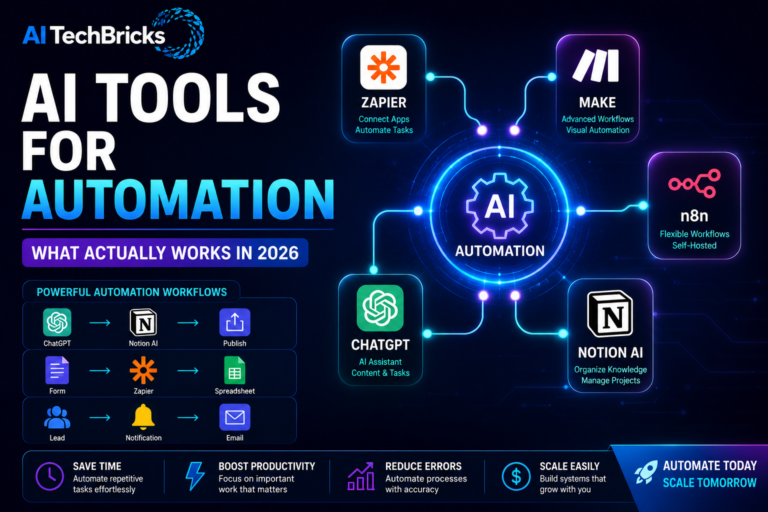
- Zapier → app integrations and simple automation
- Make → advanced workflows and visual automation
- n8n → flexible self-hosted workflows
- ChatGPT → content and task assistance
- Notion AI → knowledge management and organization
We don’t have to learn everything at once, you can start simple with your goal, you may not even need all of those tools, just a few would be enough to get started.
What Actually Worked for Me
I have noticed something after experimenting with different automation tools. Time saving did not come from complex workflows, they came from removing small repetitive tasks.
Things like:
- Automatically saving leads
- Sending notifications
- Moving data between apps
- Creating drafts and summaries
I have also learned that trying to automate everything creates more problems than it solves. Simple workflows almost always worked better without confusion.
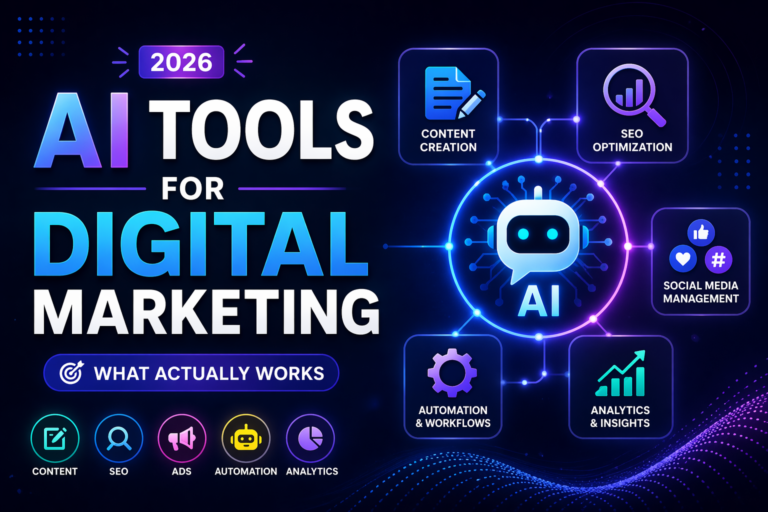
Types of AI Automation Tools
Each automation tool is designed to do different jobs. Understanding the purpose of each one will help you choose in an easy way.
Workflow Automation Tools
These tools connect different apps and services. Tools like Zapier, Make, and n8n belong here. If you want repetitive tasks to run automatically, this is where you should start.
AI Assistants
Tools like ChatGPT and Claude help with writing, research, and repetitive work. They are not traditional automation tools, but they fit naturally into many workflows.
Knowledge Management Tools
Tools like Notion AI help organize information and documents. These are useful if you manage projects, notes, or content.
Email Automation Tools
Platforms like Mailchimp and ConvertKit help automate email sequences and campaigns. These are valuable for creators and businesses.
Social Media Automation Tools
Buffer and similar platforms help schedule and manage content. This is useful when consistency matters. When you are consistent, the reach improves.
AI Tools for Automation Comparison Table
| Tool | Category | Best for | Free | Paid |
| Zapier | Workflow Automation | Beginners | Yes | Yes |
| Make | Workflow Automation | Advanced automation | Yes | Yes |
| n8n | Workflow Automation | Self-hosted workflows | Yes | Yes |
| ChatGPT | AI Assistant | Content and tasks | Yes | Yes |
| Notion AI | Knowledge Management | Notes and organization | No | Yes |
When to Use Each Tool
- Use Zapier when you need simplicity: If you are just getting started, Zapier is hard to beat.
- Use Make when workflows become more complex: It offers more flexibility without requiring coding knowledge.
- Use n8n when you want complete control: Especially useful if you prefer self-hosting.
- Use ChatGPT when repetitive content tasks slow you down: It works well for drafts, ideas, and summaries.
- Use Notion AI when organization becomes difficult: Keeping information in one place saves more time than most people realize.
Real AI Automation Workflows
This is where things actually get interesting. When you use a single tool, it gives one output, but when you combine them, it creates systems.
Content Workflow
ChatGPT → Notion AI → Publish:
Generate ideas, organise them, and publish consistently.
Lead Generation Workflow
Form → Zapier → Spreadsheet → Notification
Capture leads automatically and receive alerts instantly.
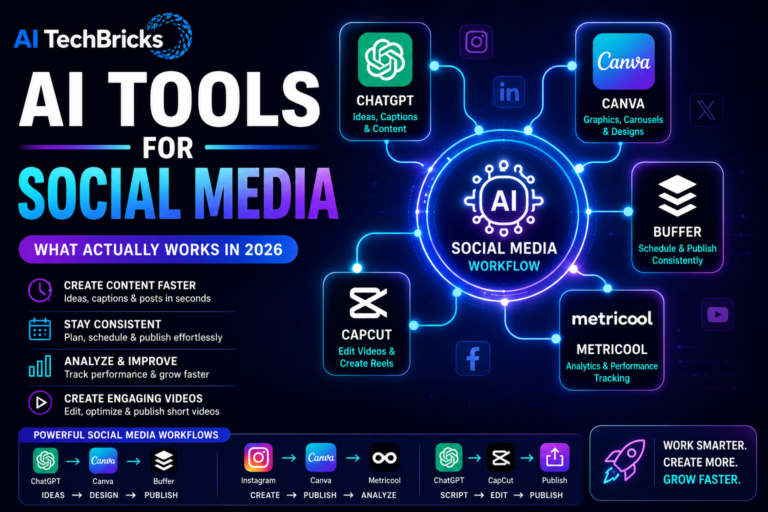
Social Media Workflow
ChatGPT → Canva → Buffer
Create, design, and schedule content without doing everything manually.
Email Workflow
Lead Form → Mailchimp → Automated Sequence
Nurture subscribers without manual follow-ups.
Insights from Using AI Tools for Automation
Most of the problems do not require complicated solutions. The biggest wins often come from simple workflows. If you think more automation solves the problems, then that is the biggest problem. Because, automation can create more things to manage.
The goal here is not to automate aeverything, it is to automate the things that do not need your attention.
What Didn’t Work for Me
I made one mistake early on. I tried to automate too much. Instead of saving time, I spent hours fixing workflows. I also noticed that adding too many tools made everything harder to maintain. Keeping things simple worked better. Even today, I prefer a small stack of tools instead of trying every new platform.
How to Choose the Right AI Automation Tool
Start with the problem. Need simple integrations? Use Zapier. Need advanced workflows? Use Make. Need complete flexibility? Use n8n. Don’t choose tools because they are popular. You have to choose them because they solve your problem.
Free vs Paid AI Automation Tools
Free plans are enough to learn. Paid plans make sense once your workflows become more important. In most cases, paying for time savings is easier than paying with your time. Choose wisely.
I personally use free ones to test and make them work for most of my repetitive tasks. I have automated analytics using BigQuery, GA4, GSC; created a leads dashboard calling from CRM in detail; this is working, and I do not have to open all at once to see the data now.
FAQs
What are the best AI tools for automation?
Zapier, Make, n8n, ChatGPT, and Notion AI are among the most popular AI automation tools.
Which AI automation tool is best for beginners?
Zapier is usually the easiest option for beginners because it doesn’t require coding knowledge.
Is Zapier better than Make?
It depends. Zapier is simpler, while Make offers more flexibility and advanced workflows.
Can AI automate tasks without coding?
Yes. Most modern automation tools are designed for non-technical users.
Do I need multiple automation tools?
Not necessarily. One tool is enough for most people when starting out.