It used to take hours to create a single video clip, and now AI tools for video creation have made it very easy; in fact, it takes only 10 minutes with the right tools. Awesome, isn’t it? I am going to share all my knowledge in this blog to make your work simpler and easier, saving that time of ours.
Important Points We’ll Cover
- Different types of AI video tools
- The best tools based on use case
- When to use each tool
- Real video workflows
- What worked for me and what didn’t
Best AI Tools for Video Creation (Quick Answer)
The combination below works well without complicating things.
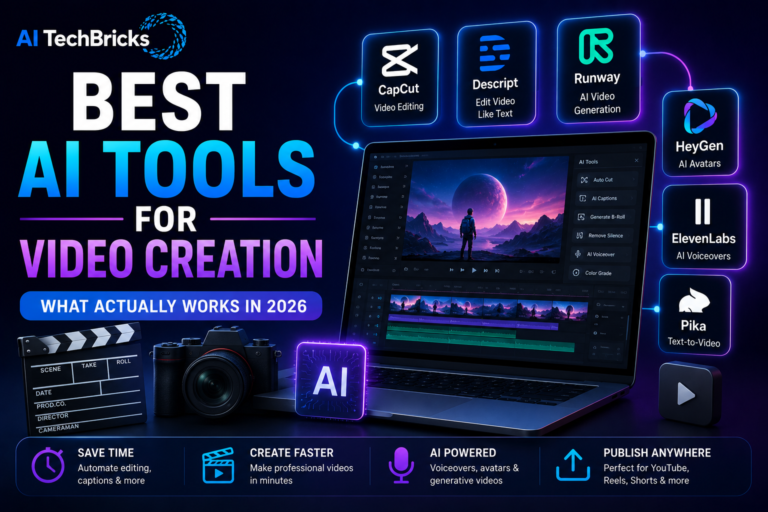
- CapCut → video editing
- Descript → podcasts and editing
- Runway → AI video generation
- HeyGen → AI avatars
- ElevenLabs → voiceovers
As I always say, start with one tool, explore it and go to the next. All tools at once will be overwhelming.
What Actually Worked for Me
After experimenting with different video tools, I realized something. Editing was not the biggest problem.
- CapCut helped simplify editing.
- Descript made audio and transcripts easier.
- And AI voice tools saved time when I did not want to record voiceovers (managed with credits for paid ones)
But I have also noticed that using too many AI effects made videos feel less natural. Simple videos usually performed better.
Types of AI Video Tools
Each tool has its own speciality, which means each one will solve a different problem. Understanding the problem will make it easy to choose the right tool.
Video Editing Tools
These help with cutting, trimming, captions, and effects.
- CapCut and Descript are popular examples.
If you are creating videos regularly, these will be a good place to start.
AI Video Generators
- Tools like Runway and Pika can generate videos from prompts.
Useful for creators who want to experiment with AI-generated visuals.
AI Avatar Tools
- Platforms like HeyGen and Synthesia help create talking avatars.
Popular for tutorials and educational videos.
Voice Generation Tools
- ElevenLabs and Murf help create realistic voiceovers.
Useful for faceless YouTube videos and narration.
Subtitle Tools
- Tools like CapCut and Descript make subtitle generation much easier.
AI Tools for Video Creation Comparison Table
| Tool | Category | Best For | Free | Paid |
|---|---|---|---|---|
| CapCut | Video Editing | Reels and Shorts | Yes | Yes |
| Descript | Editing | Podcasts and videos | Yes | Yes |
| Runway | AI Video | AI-generated videos | Yes | Yes |
| HeyGen | AI Avatars | Talking avatars | No | Yes |
| ElevenLabs | Voiceovers | AI narration | Yes | Yes |
| Pika | AI Video | Text-to-video | Yes | Yes |
If you are interested, check out the AI tools for SEO, AI tools for Digital Marketing, and to automate things, check AI tools for Automation.
Best AI Tools for Video Creation by Use Case
For YouTube
- Descript
- CapCut
- ElevenLabs
For Instagram Reels
- CapCut
For YouTube Shorts
- CapCut
- Pika
For AI Avatars
- HeyGen
For Voiceovers
- ElevenLabs
For Beginners
- CapCut
When to Use Each Tool
Use CapCut when you need simple editing
Video editing used to feel overwhelming. CapCut makes things much easier. I use it for:
- Reels
- Shorts
- Basic YouTube videos
- Captions
Use Descript when audio matters
It is especially useful for:
- Podcasts
- Interviews
- Tutorials
- Screen recordings
- Use Runway when you want AI-generated videos
Runway is impressive.
But I don’t think every video needs AI generation.
I prefer using it for:
- B-roll
- Creative visuals
- Experiments
Use HeyGen when you need talking avatars
HeyGen is useful for:
- Explainer videos
- Presentations
- Training content
Use ElevenLabs when voiceovers are needed
Recording your own voice is not always practical.
ElevenLabs makes narration easier.
Useful for:
- Faceless YouTube videos
- Tutorials
- Educational content
Real AI Video Workflows
Combine tools to get the best output with these workflows.
Shorts Workflow
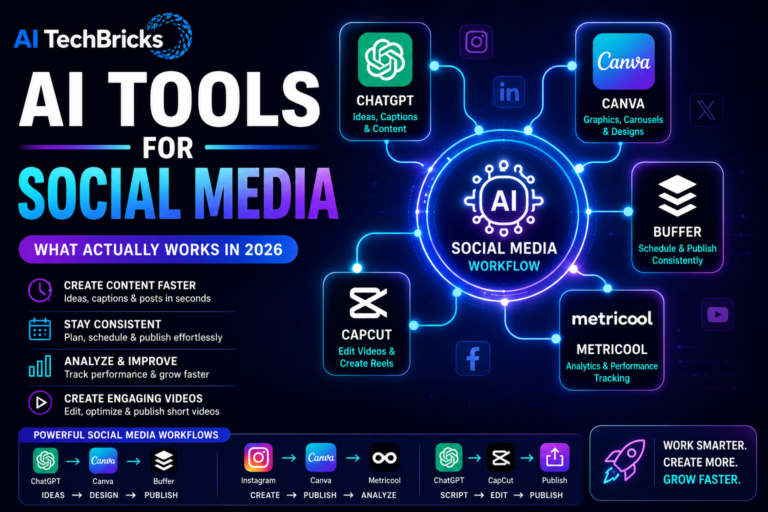
- ChatGPT → CapCut → Publish
- Ideas → Edit → Publish
Faceless YouTube Workflow
- ChatGPT → ElevenLabs → Pika → Publish
- Script → Voiceover → Video
Podcast Workflow
- Record → Descript → Publish
Repurposing Workflow
- Blog Article → ChatGPT → CapCut → Shorts
One piece of content becomes multiple videos. This is probably one of the biggest time savers.
Insights from Using AI Tools for Video Creation
These AI tools for video creation make things easy but…
The biggest improvement still comes from:
- Better storytelling
- Clearer ideas
- Consistency
AI helps with speed. But people watch videos because they find them useful. Not because they were generated by AI.
What Didn’t Work for Me
The early mistake I have made is too much focused on using AI effects, which lost the authenticity.
I also noticed that adding too many tools slowed me down. Instead of creating videos, I spent more time experimenting with software. Keeping things simple worked better.
Even today, I prefer a small tool stack.
Free vs Paid AI Video Tools
Free tools are enough to get started. You can create impressive videos without spending much.
Paid plans make sense when:
- You publish frequently
- You need advanced features
- Saving time becomes more important
That is usually the biggest difference.
FAQs
What are the best AI tools for video creation?
CapCut, Descript, Runway, HeyGen, ElevenLabs, and Pika are among the most popular AI tools for video creation.
Which AI tool is best for YouTube videos?
CapCut and Descript are excellent for editing, while ElevenLabs helps with voiceovers.
Can AI generate videos automatically?
Yes. Tools like Runway and Pika can generate videos from prompts, although human creativity and editing still matter.
Which AI tool is best for faceless YouTube channels?
ElevenLabs for voiceovers and CapCut for editing are a powerful combination for faceless content.
Do I need multiple AI video tools?
Not necessarily. Most creators can start with CapCut and expand only when needed.
Can AI replace video creators?
No. AI can speed up editing and production, but storytelling, creativity, and audience understanding still require human judgment.
Conclusion
AI tools have made video creation easier than ever. But make sure these tools are part of your work but not the tool itself your work.